
Yes I Am a Furry Save Files and Troubleshooting
Ren'Py in-game saves work, but the developer has not published save paths. Official fixes for Gallery, language UI, HTML5 limits, and known PC bugs.
FAQ
Where is the save file folder on PC or Android?
Can I move saves between platforms?
What did devlog 0.2.9_999 fix?
Why will my browser build not update?
How should I report a bug?
Where are Yes I Am a Furry save files?
The developer has not published save file paths for this game, and we have not verified any on-disk folder. Treat every path rumor as unreliable.
At the engine level (not documented by the developer for this title), Ren’Py games typically expose multiple manual save slots inside the game UI. That behavior is engine-level, not documented by the developer for this game, and may differ by platform build. Use the in-game Save and Load screens rather than hunting folders.
If you need rollbacks to test anti-furry guesses, read how to find the anti-furry for player-reported load-and-retry ideas. This page does not teach save-scumming steps.
What saves should I back up before updating?
Because paths are unknown, the safest approach before you install a newer itch archive is:
- Finish a session using in-game slots you recognize.
- Keep a copy of the entire previous game folder from your last working download and install extract.
- Read the matching devlog on latest version or the 0.2.9 update page for related changelog context.
Do not delete the old folder until you confirm the new build launches and your slots still load.
Which issues does the developer acknowledge?
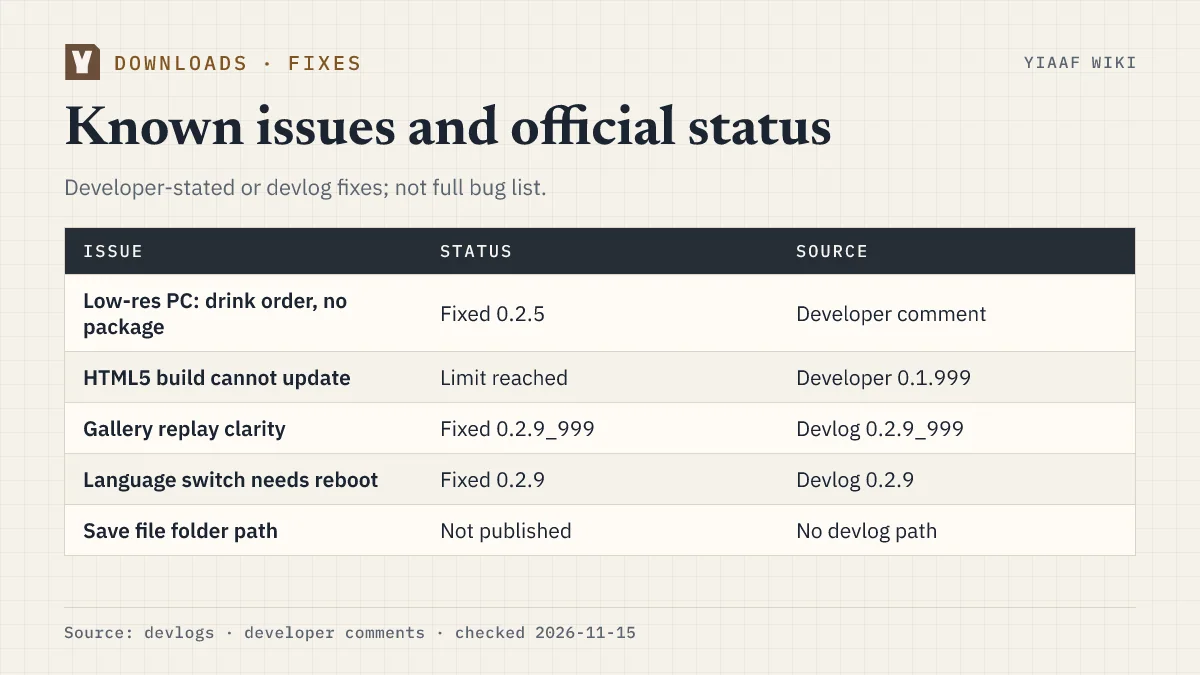
| Topic | Official status |
|---|---|
| Low-resolution PC build: energy drink order succeeds but no package next day | Developer comment (2026-07-30, 0.2.5 thread): fixed in 0.2.5 |
| HTML5 cannot receive new content | Developer comment (2026-03-25, 0.1.999): itch file limit passed; old web build plays older content only |
| Gallery button and replay clarity | Fixed in 0.2.9_999 (devlog 2026-11-10) |
| Language switch without restart | 0.2.9 devlog (2026-10-09) |
| Save path documentation | Not published |
What about Android install or display problems?
No launcher after extracting Android files: In a developer comment tied to 0.1.999 (2026-03-25), GoonerUnleashed told players who extracted an archive without a launcher to use the APK-style package instead. This guide does not link to third-party hosts mentioned in that thread.
Kitchen navigation arrows on small screens are another player report from the 0.2.9_999 era; we have no matching devlog fix line yet.
How do language and Gallery behave after 0.2.9?
0.2.9 (devlog 2026-10-09) adds Chinese, refreshes several AI-assisted translations, and states that language changes update fonts without restarting.
0.2.9_999 (devlog 2026-11-10) lists Gallery button and replay fixes. If replay thumbnails look wrong on an older folder, move to the itch 0.2.9_999 archives described in download and install.
How do I report a bug the developer can reproduce?
Official devlogs repeatedly ask for the dialogue line or a screenshot when you hit a crash or script error. Before you post:
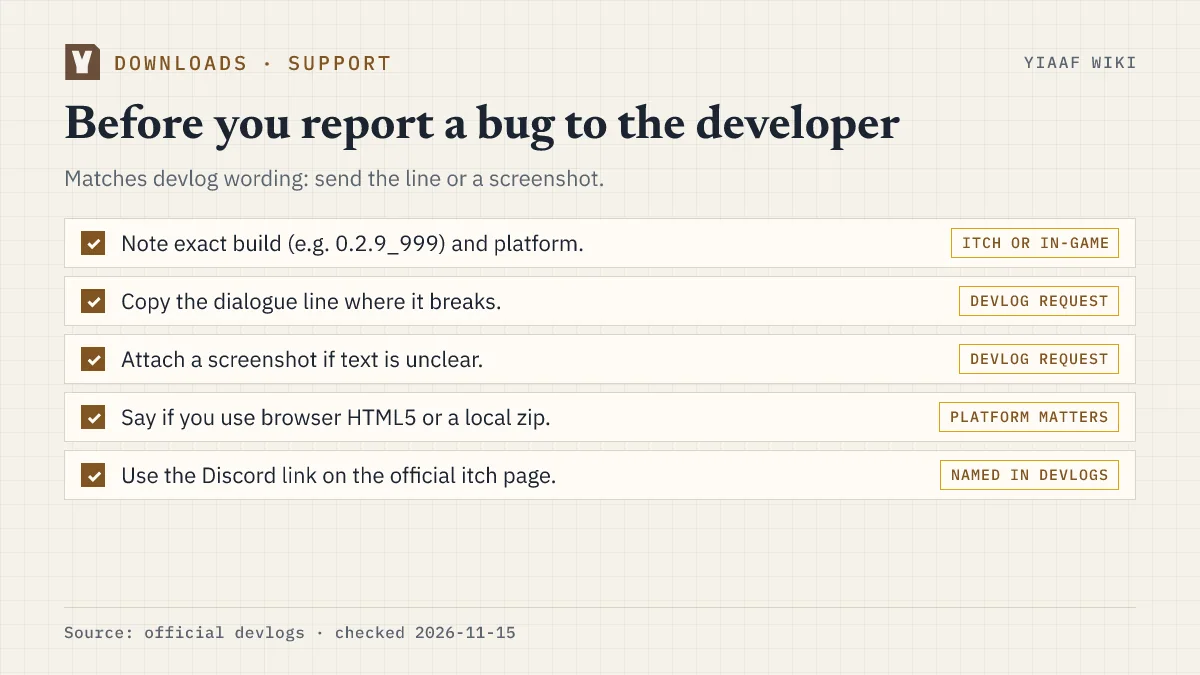
- Write the exact build (0.2.9_999 if you use the current itch download).
- Name the platform (Windows, Linux, macOS, Android, or legacy HTML5).
- Copy the on-screen line where the error appears, or capture a screenshot.
- Mention whether you play the browser build or a local extract.
Discord is named in multiple devlogs as a feedback channel alongside patron posts. This fan guide does not paste invite URLs; use the link on the official itch page if you already rely on community support.
How do I upgrade without losing progress?
These steps are general fan-guide advice, not quoted developer instructions:
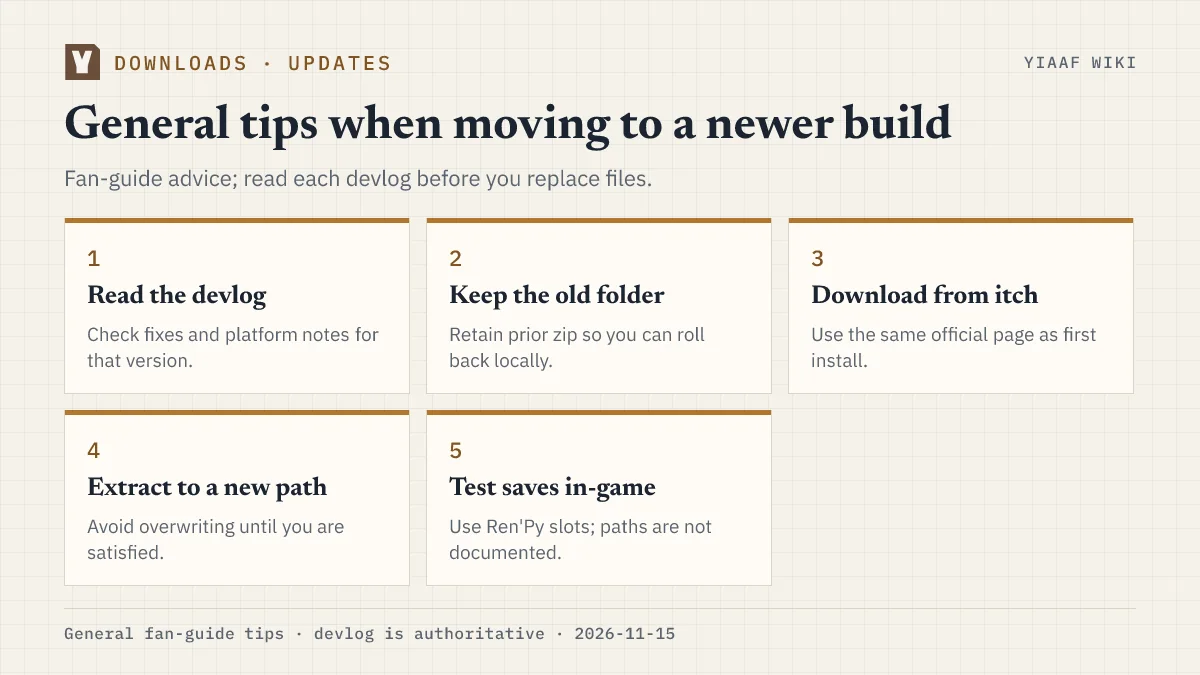
- Read the devlog for the target version on the devlog index.
- Download the new archive from itch into a new folder.
- Launch once before you delete the old extract.
- Load an in-game slot to confirm continuity.
- If something breaks, return to the previous folder while you report the issue.
Cross-check large changes in version history before you migrate mid-playthrough.
What is verified versus undocumented?
| Item | Status |
|---|---|
| In-game Ren’Py slots exist (engine-level) | Widely true for Ren’Py; unverified path on disk for this game |
| On-disk save directory | Not published by developer |
| Transferring saves phone ↔ PC | No official method |
| HTML5 parity with 0.2.9_999 | Unverified after file-limit comment |
Sources and verification
- Official game page: https://goonerunleashed.itch.io/yes-i-am-a-furry
- Devlog 0.2.9_999: https://goonerunleashed.itch.io/yes-i-am-a-furry/devlog/1767279/ver-029-999
- Devlog 0.2.9: https://goonerunleashed.itch.io/yes-i-am-a-furry/devlog/1698971/ver-029
- Devlog 0.2.5: https://goonerunleashed.itch.io/yes-i-am-a-furry/devlog/1608951/ver-025
Last checked against the official devlog on 2026-11-15. This is a non-official fan guide; see about this wiki.
Related Articles
downloads
Yes I Am a Furry Download and Install (Official itch.io)
Download Yes I Am a Furry free from the official itch.io page: version 0.2.9_999 sizes for Android, Windows, Linux, and macOS plus install steps.
downloads
Is Yes I Am a Furry on Steam? Official Download Check
No known Steam store page for Yes I Am a Furry on 2026-11-15. itch.io links list Patreon, Discord, and X only; devlogs never announce Steam.
Was this helpful?
Thanks for the feedback!